
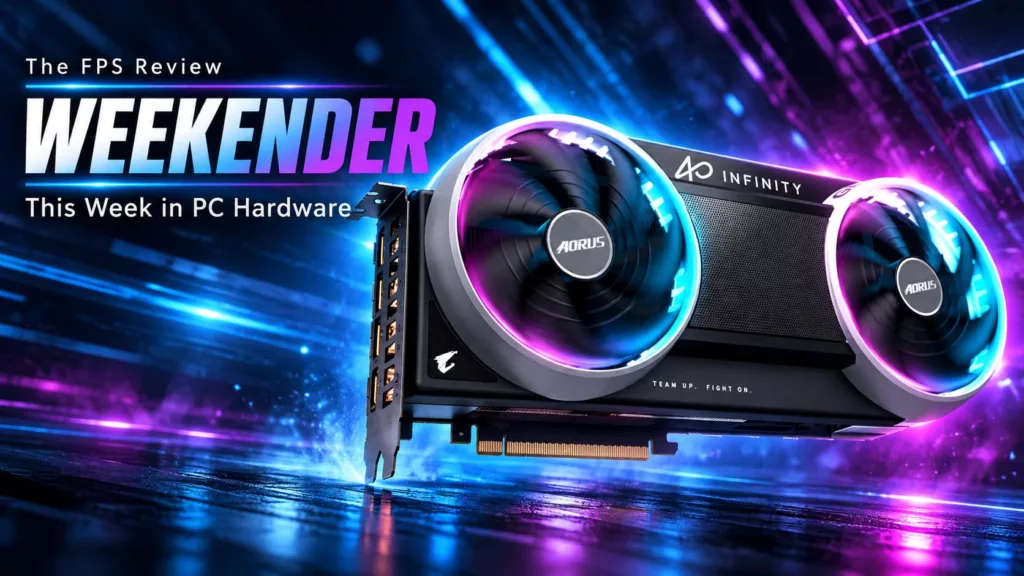
Prime Day week is never a big week for embargo lifts, and this one was no exception: no new GPU or CPU silicon, just a flood of partner cards, peripherals, and one very expensive RTX 5080. PCMag crowned Gigabyte’s Aorus RTX 5080 Infinity the fastest RTX 5080 it has tested, at a price that tells you exactly where the GPU market sits right now. Elsewhere, Razer’s Basilisk V4 Pro hit shelves to near-universal praise, and Monitors Unboxed checked in on its deliberately abused QD-OLED for the 30th month in a row.
Gigabyte Aorus GeForce RTX 5080 Infinity 16G
Written reviews:
- PCMag: https://www.pcmag.com/reviews/gigabyte-aorus-geforce-rtx-5080-infinity-16g
- Cowcotland: https://www.cowcotland.com/articles/5039/test-aorus-geforce-rtx-5080-infinity-wood-16g-l-amour-avec-un-grand-a.html
Consensus summary: PCMag found the factory overclock gives it a small edge over the Founders Edition while drawing less power and running exceptionally cool, earning an Editors’ Choice. The catch is the $1,899 list price, high even by late-2026 RTX 5080 standards.
FPS Review take: A “fastest RTX 5080” crown is a narrow one, since factory overclocks on GB203 move the needle by single digits. Still, lower power and lower temps than the Founders Edition is a good result. Readers who saw how Gigabyte’s cooling held up in our GIGABYTE GeForce RTX 5090 Gaming OC review won’t be surprised. Whether that’s worth nearly double the original $999 RTX 5080 MSRP is a question your wallet has to answer.
ASUS T1 GeForce RTX 5060 Ti 8GB OC Edition
Written reviews:
Consensus summary: TweakTown pitches it as a strong 1080p and 1440p competitive card that leans on DLSS 4.5 to punch above its weight. It’s also a collector’s piece for T1 and League of Legends fans. The 8GB frame buffer is the limiting factor, falling short in path-traced and heavy ray-traced titles.
FPS Review take: This is the second ASUS T1 card in as many weeks, after the T1 RTX 5070 OC in last week’s Weekender, and the 8GB question hasn’t gone anywhere. If the livery isn’t the point, the Radeon RX 9070 XT vs RTX 5060 Ti 16GB pricing story is worth a read before spending 8GB money.
AMD Ryzen 7 (Zen 4) vs Ryzen 7 (Zen 5) 8-Core CPUs
Written reviews:
- The FPS Review: https://www.thefpsreview.com/2026/10/05/amd-ryzen-7-zen-4-vs-ryzen-7-zen-5-8-core-cpus-2026-review/
Consensus summary: Our own retest put the Ryzen 7 7700, Ryzen 7 7700X, and Ryzen 7 9700X through 12 games on a GeForce RTX 5090 at 1080p with fresh September 2026 data. Two years of BIOS, AGESA, chipset driver, and Windows updates lifted Zen 4 just as much as Zen 5. The gaming gap between the architectures is effectively where it was at launch.
FPS Review take: “Zen 5%” lives on. If you’re sitting on a 7700 or 7700X, there’s no non-X3D 8-core upgrade worth making. If you want more gaming performance on AM5, the money goes to 3D V-Cache, as our Ryzen 7 7700X3D review and Ryzen 7 9850X3D review show.
OLED Burn-In Test: 30-Month Update (MSI MPG 321URX)
Written reviews:
Video reviews:
- Monitors Unboxed: https://www.youtube.com/watch?v=ERrp0TjPcyY
Consensus summary: After roughly 8,000 hours of almost entirely static productivity work at about 200 nits, TechSpot reports two problems with the panel:
- The vertical line from a side-by-side window layout is now clearly visible on dark gray content, and even faintly on a full white screen.
- Peak brightness has slipped from 243 to 231 nits, a 5% drop that all happened in the last 12 months.
FPS Review take: This is the most useful long-term OLED data anyone is publishing, and the practical lesson is about wear evenness: a dark taskbar over light-mode apps is what did the damage.
Alienware AW3426DW
Written reviews:
- TweakTown: https://www.tweaktown.com/reviews/11631/alienware-aw3426dw-one-of-the-best-34-inch-qd-oled-gaming-monitors-yet/index.html
- TechSpot: https://www.techspot.com/review/3145-dell-alienware-aw3426dw/
Consensus summary: Both outlets land in the same place. TweakTown calls its 280Hz Penta Tandem QD-OLED panel exceptional at a competitive price. Only a few connectivity omissions keep it from being truly fantastic. TechSpot named it its go-to 34-inch QD-OLED ultrawide at $800. It sees little reason to pay roughly $150 more for 360Hz models unless you consistently run above 280 FPS.
FPS Review take: Dell keeps doing the thing other monitor makers won’t: putting a current-generation panel at a sane price. Pair it with the Alienware AW3926QW we covered in August and Alienware owns a lot of the ultrawide OLED buying conversation right now.
Corsair Nautilus II 360 RS ARGB
Written reviews:
- FunkyKit: https://www.funkykit.com/reviews/cooling/corsair-nautilus-ii-360-rs-argb-liquid-cpu-cooler-review/
Video reviews:
Consensus summary: FunkyKit tested it on a Ryzen 9 9950X and came away happier than expected with the temperatures. It gave extra credit for skipping iCUE Link entirely: the pump and fans run off standard 4-pin PWM and 3-pin ARGB headers, with lighting handled by motherboard software. The verdict is that it’s a sensible pick if you want solid cooling without paying for an LCD.
FPS Review take: Corsair making an AIO that doesn’t require its own ecosystem is noting, given how much proprietary-hub fatigue builders have. Plug-and-go is a feature now, apparently, and we’re not complaining.
Formula V Line Air Power G10
Written reviews:
Video reviews:
- Modders Inc Tech Reviews: https://www.youtube.com/watch?v=c6x4Ajz-50I
Consensus summary: eTeknix calls it staggering value. It praises the independently tilting front fan brackets, four pre-installed PWM ARGB fans, 420 mm GPU clearance and BTF motherboard support, and a swappable PSU and fan chamber that can move intake fans directly under the graphics card. It’s also an easy recommendation on looks alone. Modders Inc’s video frames it as a case worth seeing before you settle on any budget chassis.
FPS Review take: Formula V Line went from Computex tease to Newegg listing to glowing first reviews in one cycle. That’s a strong debut for a brand most US builders have never heard of. Tilting fans sound gimmicky until you remember how many GPUs choke on front intake that never reaches them.
Gigabyte X870 AORUS Infinity
Written reviews:
Consensus summary: TweakTown calls it a memory overclocking monster and a fantastic board for people who love endless tweak-and-test cycles. It’s also “ridiculous” in the most complimentary way. The verdict is blunt: it’s a niche product for deep-pocketed hardcore overclockers, and everyone else has better and cheaper options.
FPS Review take: Credit to Gigabyte for still building boards for the LN2 crowd in 2026. Most AM5 buyers are better served by something like the X870E AERO X3D DARK WOOD we reviewed in June, which spends its budget on features you’ll actually use daily.
Lian Li Edge Platinum V2 1350W
Written reviews:
Consensus summary: TechPowerUp put the new flagship of Lian Li’s L-shaped Edge line through its PSU test suite. The headline addition is the bundled Edge Hub ADV, which monitors GPU power-cable temperatures and can shut the system down if they stay too hot. The 1350W model lists at $259.99 and takes home the Highly Recommended trophy.
FPS Review take: Cable temperature monitoring is exactly the kind of feature the 12V-2×6 era demands. That’s especially true given modders are bolting extra 8-pin connectors onto RTX 5090s to keep things from melting. We’d like to see it become standard rather than a premium-SKU bundle.
Razer Basilisk V4 Pro
Written reviews:
- Basic Tutorials: https://basic-tutorials.com/reviews/peripherals/razer-basilisk-v4-pro-review/
- COGconnected: https://cogconnected.com/review/razer-basilisk-v4-pro-wireless-mouse-review/
- Windows Central: https://www.windowscentral.com/accessories/mice/the-razer-basilisk-v4-pro-maintains-the-glowing-reputation-of-its-predecessors-as-one-of-the-best-gaming-mice-around-but-i-wish-it-didnt-have-ai
- CGMagazine: https://www.cgmagonline.com/review/hardware/razer-basilisk-v4-pro-gaming-mouse/
- MMORPG.com: https://www.mmorpg.com/hardware-reviews/razer-basilisk-v4-pro-review-2000139083
- GamingTrend: https://gamingtrend.com/reviews/razer-basilisk-v4-pro-review/
Video reviews:
- HardwarePremium: https://www.youtube.com/watch?v=q9a7hhqUZwY
- The Techne: https://www.youtube.com/watch?v=KsqqTnk0TI0
Consensus summary: Reviewers broadly agree this is a refinement rather than a reinvention: lighter, with a much stronger 50K sensor, native 8,000 Hz polling, and a more versatile HyperScroll wheel. Basic Tutorials calls it the best ergonomic right-handed gaming mouse available. The complaints are consistent:
- Price: COGconnected notes plenty of excellent mice cost considerably less than its $169.99.
- The dock: It’s sold separately for $69.99, per Windows Central.
- The AI features: Windows Central would rather they weren’t there at all.
FPS Review take: The Basilisk has been the default “one mouse for everything” pick for a few generations, and nothing here changes that. If you want something cheaper and lighter, our PowerColor ALPHYN AM10 review covers a very different philosophy.
Corsair HS80 V2 MAX
Written reviews:
- KitGuru: https://www.kitguru.net/tech-news/featured-tech-reviews/carlosribeiro/corsair-hs80-v2-max-wireless-headset-voxara-microphone-review/
- Basic Tutorials: https://basic-tutorials.com/reviews/peripherals/corsair-hs80-v2-max-review/
Video reviews:
- KitGuru Tech: https://www.youtube.com/watch?v=9hD4DoPvEYg
Consensus summary: This is the week’s clearest split. Basic Tutorials gave it a Platinum award for sound quality, its microphone, simultaneous connectivity, and battery life. Its only caveats are Dolby Atmos being PC-only and NVIDIA Broadcast requiring a GeForce card. KitGuru scored it 7.5/10. It praised the big battery-life jump to 110 hours but faulted sound profiles that change depending on whether iCUE is running, plus an iCUE bug that breaks flip-to-mute.
FPS Review take: We liked the original in our CORSAIR HS80 MAX WIRELESS review, and the V2’s hardware upgrades sound real. Corsair’s software keeps being the asterisk on its audio gear, though. If KitGuru’s iCUE behavior holds up for other reviewers, that’s a firmware fix Corsair needs to ship fast.
GMK TriggerKey
Written reviews:
- eTeknix: https://www.eteknix.com/gmk-triggerkey-review/
- TechPowerUp: https://www.techpowerup.com/review/quick-look-gmk-triggerkey/
- tbreak: https://tbreak.com/gmk-triggerkey-impressions/
Consensus summary: GMK’s lever-style key caps clip over existing switches and let you tune resting angle (up to 34 degrees) and travel depth. eTeknix calls them a gimmick, but one that works well and feels great set up as a hair trigger, with excellent build quality. tbreak found the $49 four-pack reasonable but struggled to find a benefit, since all that extra travel still ends at a binary mechanical switch. Its suggestion is that Hall Effect support is where this could get interesting.
FPS Review take: This is the most interesting keyboard idea we’ve seen in a while, and also the most “why?” one. tbreak nails it: pair this with an analog switch and it stops being a novelty and starts being a controller trigger on your keyboard.
Discussion
Join Discussion →No replies yet. Be the first to reply on the forum.